  354  ./configure --prefix=/home/chris/tools/builds/why
  359  godi_console perform -build godi-lablgtk2
  370  sudo apt-get install libgl-dev
  371  sudo apt-get install libgl1-mesa-dev
  372  godi_console perform -build godi-lablgtk2
  380  sudo apt-get install libglu1-mesa-dev
  381  godi_console perform -build godi-lablgtk2
  384  sudo apt-get install freeglut3-dev
  385  godi_console perform -build godi-lablgtk2
  391  sudo apt-get install tcl-dev
  392  godi_console perform -build godi-lablgtk2
  394  sudo apt-get install tk-dev
  395  godi_console perform -build godi-lablgtk2
  398  sudo apt-get install libgtkgl2.0-dev
  403  godi_console perform -build godi-lablgtk2
  404  ./configure --prefix=/home/chris/tools/builds/why
  408  make
  409  make install
August 27, 2008
Portrait of Frustration in Eighteen Commands: An Abbreviated History
Comments Off on Portrait of Frustration in Eighteen Commands: An Abbreviated History
Finding the Trash in GNOME
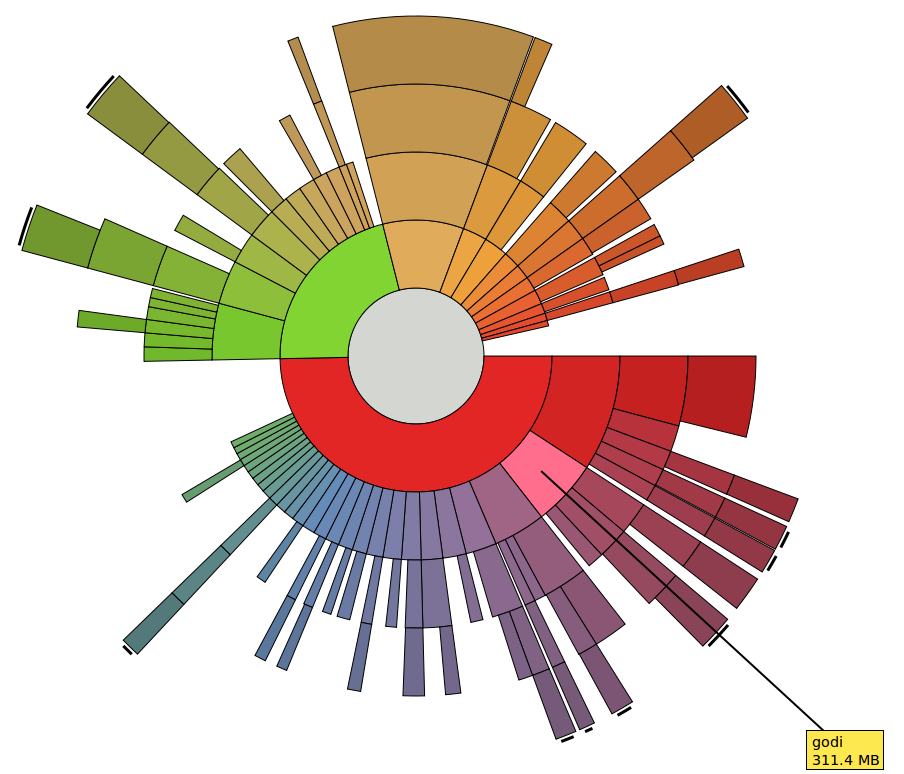
GNOME Disk Usage Analyzer
I somehow moved a file owned by root into the Trash, then I couldn’t make it go away: “Empty Trash” failed with permission problems. Thanks to the Ubuntu Geek blog—and especially commenter Ayenack—I found the secret location of the trash:
~/.local/share/Trash
The files in this folder can be chmod‘d and rm‘d just like any others (e.g.,
rm -rf ~/.local/share/Trash/*
is observationally equivalent to “Empty Trash”).
NOTE: The (otherwise very cool) GNOME Disk Usage Analyzer (aka Baobab) moves files to ~/.Trash—which is not the Trash—on “Move to Trash.” This is annoying.
[UPDATE 9/8/2008] If you do gksudo nautilus and delete files, then click on the trash icon in Nautilus it says, “The folder contents could not be displayed…” and “Empty Trash” is grayed out. But the files are in /root/.local/share/Trash, as you might expect. Just do
sudo rm -rf /root/.local/share/Trash/*
Comments Off on Finding the Trash in GNOME
August 25, 2008
Being on television means never having to say you’re wrong
This video clip has been getting a lot of play in the liberal blogosphere (e.g., TPM):
In it, Mark Halperin says (with respect to the “how many houses” “controversy”):
My hunch is that this is going to end up being one of the worst moments of the entire campaign for … Barack Obama. I believe that this has opened the door up to not just Tony Rezko, in that ad, but to bringing up Reverend Wright, to bringing up his relationship with Bill Ayers…. It would have been hard for John McCain—given the way he says he’s going to run this campaign—to do all this stuff without the door being opened.
What’s interesting to me is that pretty much the entire panel jumps on him to say: that’s stupid, that’s illogical, that completely contradicts both objective reality and common sense. And he sticks to his guns, unfazed, and keeps making the argument for 2 minutes, 43 seconds.
It’s possible that Halperin is just exactly that blinkered and stupid. But it strikes me as the kind of argument I’d pitch over a beer and, after my drinking companions tore it apart, I’d shrug and say, “Yeah, that’s dumb. Forget it. I was just talking shit.” Maybe Halperin would say that over a beer, but he’s on TV. And on TV you never repudiate a stupid argument.
Comments Off on Being on television means never having to say you’re wrong
Annoying Things
The most annoying thing in the world: when you’re saying something and your significant other is reading or watching TV or playing Scramble and not paying any attention to you.
The second most annoying thing in the world: when you are reading or watching TV or playing Scramble and your significant other won’t shut up.
Comments Off on Annoying Things
August 19, 2008
Fun with Keyword Analysis II
I got a hit the other day on the search term “stolen whiskey”. I hope you found what you’re looking for, stranger.
Comments Off on Fun with Keyword Analysis II
August 6, 2008
Did Barack Obama Play the Race Card… Again?
Can you name a category of people (besides Republicans) who are often said to “take pride in being ignorant”? Here’s a hint. Here’s another. What is Barack Obama saying about John McCain?
Nota bene: Just kidding.
Comments Off on Did Barack Obama Play the Race Card… Again?
August 2, 2008

July 21, 2008
Rent-a-Bic

Stop me if you’ve heard this before, but… wandering around Barcelona, I noticed these rows of red bikes in self-locking racks. It turns out this is an enterprise called Bicing, basically Zipcar-for-bikes. You pay about $45 a year to be a member and you get a card. When you need a bike, you walk down to one of these racks, sprinkled liberally through the city, wave your card and grab a bike. You pay about 50 cents a half hour to have the bike for up to two hours. When you get where you’re going, you find another a rack, lock the bike up, and leave it.
This is really cool! Similar services are popular in Lyon, Paris, and Stockholm. Why not New York? Why not your home town here? Write your local municipal representatives and demand 1/10,000th of a bike!
[UPDATE] A pilot program launched in Washington, DC.
Comments Off on Rent-a-Bic
July 12, 2008
Redirecting Blogger posts to WordPress
My move from Blogger to WordPress was made possible by this tutorial. However, the post redirection widget has some bugs: it doesn’t handle posts with “a”, “an”, or “the” in the title (seriously!) or titles with non-ASCII characters in them.
Here’s an upgraded widget, which works for a broader class of posts. Basically, I just translated the WordPress PHP code for generating a permalink from a title into Javascript. I cut some corners, but it’s good enough to handle 99% of the posts in my archive.
<b:widget id='Redirector' locked='true' title='Blog Posts' type='Blog'>
<b:includable id='main'>
<b:if cond='data:blog.pageType == "item"'>
<b:loop values='data:posts' var='post'>
<div id='redirectorTitle' style='visibility:hidden'><data:post.title/></div>
<script type='text/javascript'>
var new_domain = 'YOUR_BLOG_URL_HERE'
function utf8_uri_encode( str ) {
var high_code = new RegExp(/[\u0080-\uffff]+/);;
new_str = str;;
while( m = high_code.exec( new_str ) ) {
new_str = new_str.replace(m,encodeURIComponent(m));;
}
return new_str;;
}
var title = document.getElementById('redirectorTitle').innerHTML;;
// [INCOMPLETE] Keep percent signs that aren't part of an octet?
title = title.replace(/<[^>]*?>/g,'');; // remove tags
title = title.replace(/&.+?;/g,'');; // remove entities
title = utf8_uri_encode(title);; // handle UTF-8 characters
title = title.toLowerCase();;
title = title.replace(/[^%a-z0-9 _-]/g,'');; // remove punctuation
title = title.replace(/\s+/g,'-');; // turn spaces into hyphens
title = title.replace(/-+/g, '-');; // collapse runs of hyphens
title = title.replace(/^-+/g,'');; // remove prefixed hyphens
title = title.replace(/-+$/g,'');; // remove suffixed hyphens
var timestamp = '<data:post.timestamp/>';
timestamp = timestamp.split('/');
timestamp = timestamp[2]+'/'+timestamp[0]+'/'+timestamp[1];
var new_page = new_domain + '/' + timestamp + '/' + title + '/';;
document.location.href = new_page;
</script>
</b:loop>
</b:if>
</b:includable>
</b:widget>
Notes:
- Timestamps on posts must be in
MM/DD/YYYYformat. This is easily changed in the Blogger control panel via “Settings -> Formatting”. - You should set the correct time zone for your blog in WordPress before you import the posts. Otherwise, Blogger and WordPress won’t always agree on the date of a post. I didn’t do this and, as a consequence, about one in five of my archived posts have bad redirect links. (This can be fixed by manually editing the post’s timestamp, but that is a big pain.)
- This mostly handles Unicode (see, e.g., this post), but there is a bug in there somewhere. I had to manually change the permalink on this post from
https://procrastiblog.com/2007/4/07/एक्ष्केल्लेन्त्-वर्क-टो/
to
https://procrastiblog.com/2007/4/07/एक्ष्केल्लेन्त्-वर्क-टोबी/
so that it redirected to the right place. (Can any Hindi readers help me out with that? Is there punctuation in there? I don’t remember what the title was supposed to say. And I can’t figure out how to back-transliterate it into English.)
- Blogger does some weird things with the widget code after you save. The code will disappear from the “Edit Template” text box, replaced by a tag like:
<b:widget id='Blog2' locked='true' title='Blog Posts' type='Blog'/>(the tag with id
Blog1is your actual posts; don’t delete it). If the widget doesn’t work, or you want to remove it, just remove that tag. If you want to fiddle with the widget, clicking “Expand Widget Templates” will reveal the underlying code (and a lot else besides). The widget will also show up in the Blogger “Layout -> Page Elements” as a mysterious second “Blog Posts” box, with all kinds of spurious configurable elements. Just ignore that.
July 9, 2008
We’re moving to procrastiblog.com
Indeed, we’ve moved.
Comments Off on We’re moving to procrastiblog.com


 Procrastiblog